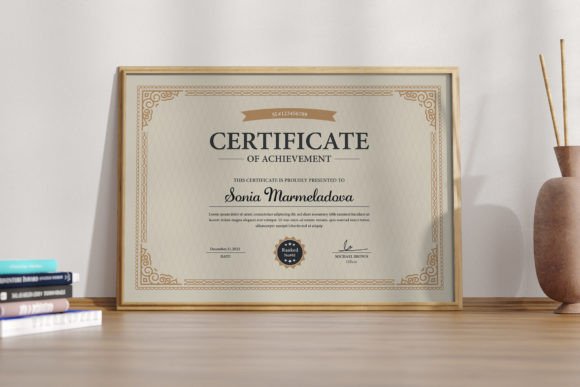
Modern Certificates of Appreciation: A Simple, Classy Design Template
There’s a unique power in a well-designed certificate. It’s more than just paper; it’s a tangible piece of recognition, a moment of pride captured in ink and layout. For a small business owner, a team leader, or a community organizer, presenting a certificate of appreciation is a meaningful gesture. But the impact of that gesture can be diluted if the design feels dated, cluttered, or amateurish. This is where a modern, clean template becomes an invaluable asset, transforming a simple thank-you into a professional and memorable award.
The Visual Language of Modern Recognition
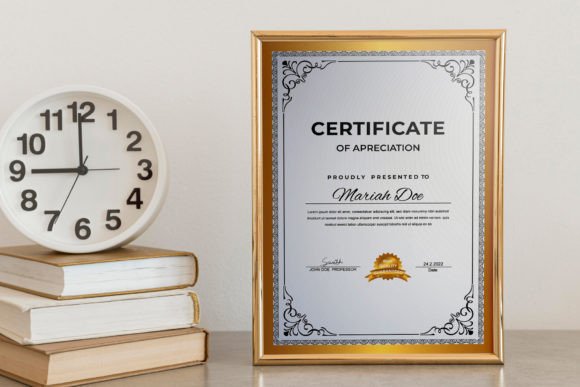
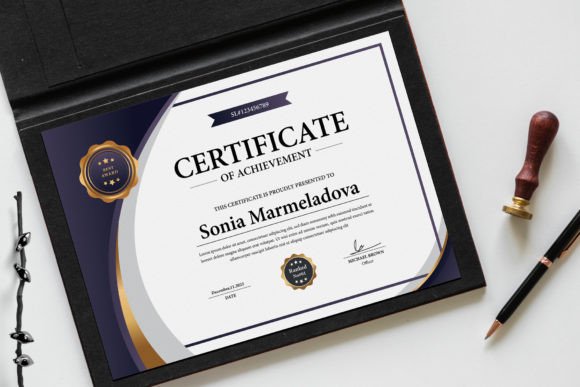
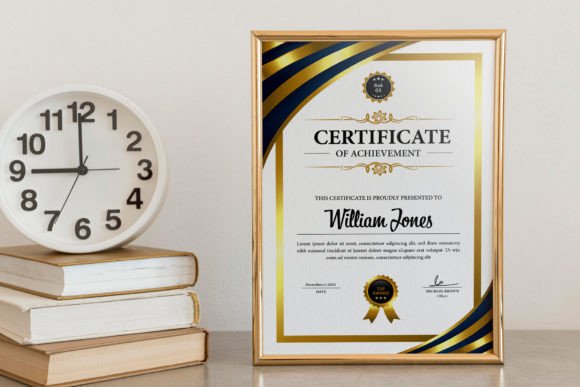
What defines a "modern" certificate of appreciation? It’s a design philosophy that prioritizes clarity, sophistication, and intentional whitespace. Think of it as the difference between a cluttered bulletin board and a gallery wall. A modern template, like the one described here, uses a balanced layout, elegant typography, and a restrained color palette to convey respect and professionalism. The beauty lies in its simplicity—there are no distracting borders or overly ornate flourishes. Instead, the focus is on the recipient's name, the reason for the award, and the presenting organization. This clean approach ensures the certificate feels contemporary and classy, suitable for everything from corporate employee awards to volunteer recognition in a creative studio.
Practical Applications Beyond the Office Wall
While the primary function is clear, the versatility of a well-structured certificate template extends into numerous professional and creative spheres. Its value isn't confined to a single use case.
- Brand Consistency: For any business, every customer touchpoint is a branding opportunity. A certificate of appreciation given to a loyal client or a standout contractor becomes a piece of your brand identity. Using a template that allows you to easily change colors ensures it aligns perfectly with your established brand guidelines, reinforcing recognition and trust.
- Event and Program Packaging: Hosting a workshop, a webinar, or a community challenge? A certificate is a powerful incentive for completion and participation. A modern design makes the achievement feel significant and shareable, encouraging participants to post it on social media, which in turn promotes your event.
- Internal Culture Building: Recognizing team members is crucial for morale. A professionally designed certificate for "Employee of the Month," "Innovation Award," or "Team Player" adds weight to the acknowledgment. It shows you’ve invested effort into the recognition, making it more meaningful than a verbal thanks alone.
- Collaborative Projects: In freelance and agency work, acknowledging contributions is key to building strong partnerships. A certificate can formally thank a collaborator, photographer, or writer, serving as a professional courtesy that strengthens the relationship for future projects.
Streamlining Your Workflow with Editable Assets
The real-world value of a template like this is rooted in its adaptability. The feature of being 100% editable is not just a bullet point—it’s the core of its utility. Imagine needing to create a dozen certificates for a volunteer appreciation dinner. Without a template, you’re starting from scratch each time, fighting with alignment and font consistency. With a well-organized template, the process becomes a simple matter of updating names and details.
The inclusion of multiple file formats—EPS, PSD, INDD, and DOCX—is a thoughtful consideration for diverse workflows. A graphic designer might prefer working in Adobe Illustrator or Photoshop for full creative control, while a small business owner without design software can make quick edits in Microsoft Word. This flexibility ensures the template meets you where you are, saving valuable time and eliminating technical frustration. The use of a free font, with links provided, is another practical touch that removes potential licensing headaches and additional costs.
Making the Design Your Own
A template provides the foundation, but personalization brings it to life. Here’s how to approach customizing a modern certificate template to make it uniquely yours:
- Align with Your Palette: The first step is almost always changing the colors. Use your primary brand color for the header or key accents, and a secondary color for supporting text. If you lack a formal palette, choose colors that evoke the right emotion—deep blues and grays for corporate trust, earthy tones for community and sustainability, or vibrant hues for creative awards.
- Typography is Key: While the template uses a specified font, you may have brand fonts you need to incorporate. Ensure any new font you choose is highly readable, especially for the recipient's name. Pair a clean sans-serif for body text with a more distinctive serif or script font for the award title to create hierarchy and visual interest.
- Less is More with Graphics: The power of a modern design is in its restraint. If you add a logo, place it thoughtfully—typically at the bottom center or top corner. Avoid adding extra borders, shadows, or clipart that can make the design feel busy and detract from its professional elegance.
- Consider the Paper: The final presentation matters. Print your certificates on a quality cardstock or textured paper. The weight and feel of the paper will enhance the perceived value of the award, making the entire experience more impactful for the recipient.
In the end, a certificate of appreciation is a communication tool. Its effectiveness hinges not just on the words printed, but on the visual language that frames them. A modern, classy, and beautifully designed template provides the perfect starting point, ensuring your message of gratitude is delivered with the professionalism and style it deserves. It’s a small investment in a design asset that pays dividends in strengthened relationships, enhanced brand perception, and a more polished presentation for any occasion.